Hours back every season
No more sorting, naming and typing up receipts. Snap, forward or share, and it's done.

Intelligent Boat Folio
All your boat's papers and photos in one place, sorted for you. Forward an invoice, snap a photo or share from your iPhone, and What Boat? files it, counts what you spent, adds new gear to your boat's inventory and reminds you when something is due.
Free trial. In 12 languages. Works on your computer and your phone.
Watch it work
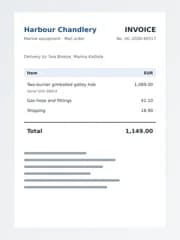
Every boat has a private email address. Send it the invoice for that new galley hob and three jobs are done before you've put the kettle on.
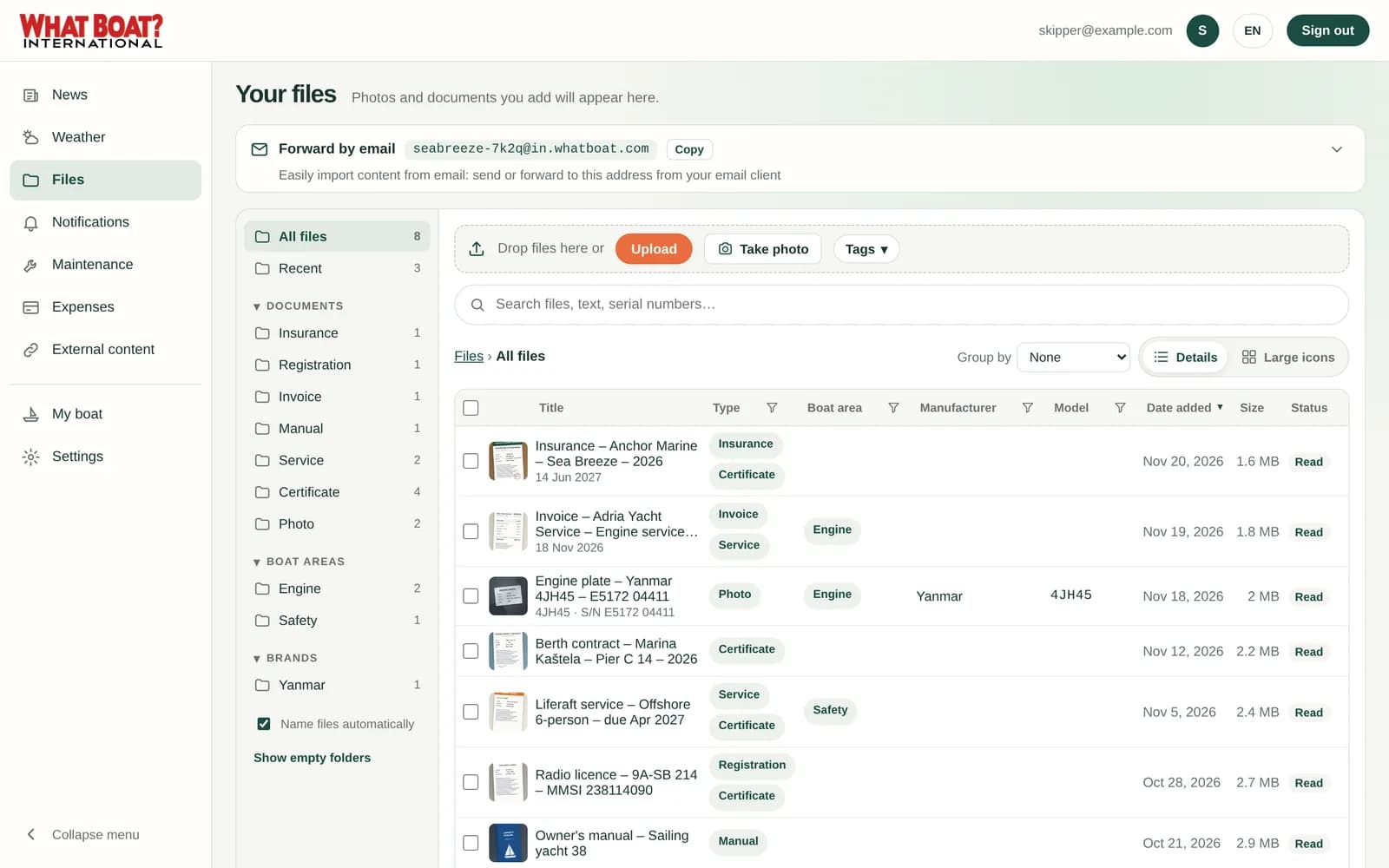
The AI reads the PDF, names it and files it under Invoice. You get a notification.

€1,149.00 is added to this year's spending, under Equipment, linked to the invoice.

The hob and its serial number are suggested for your boat's inventory. One tap to add.
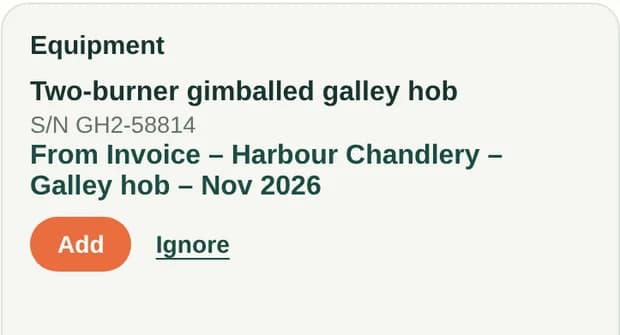
No typing, no folders, no spreadsheet. Demo data.
Why owners use What Boat?
No more sorting, naming and typing up receipts. Snap, forward or share, and it's done.
Every invoice is counted automatically, per year, category and currency.
Insurance, mooring, services and payments remind you in good time.
An insurance claim, a survey, a sale or a breakdown far from home: papers, serial numbers and history are in your pocket.
How it works
No folders to set up and no file names to type. Just bring things in.
Take a photo, upload a PDF, forward an email or share straight from your iPhone's Photos app.
What Boat? reads the text, names the file, adds tags and pulls out details like serial numbers, amounts and dates.
Find anything in seconds, get reminders before dates run out and see whether today is a good day to go out.
A look inside
Real screens from the app, shown with a demo boat called Sea Breeze.
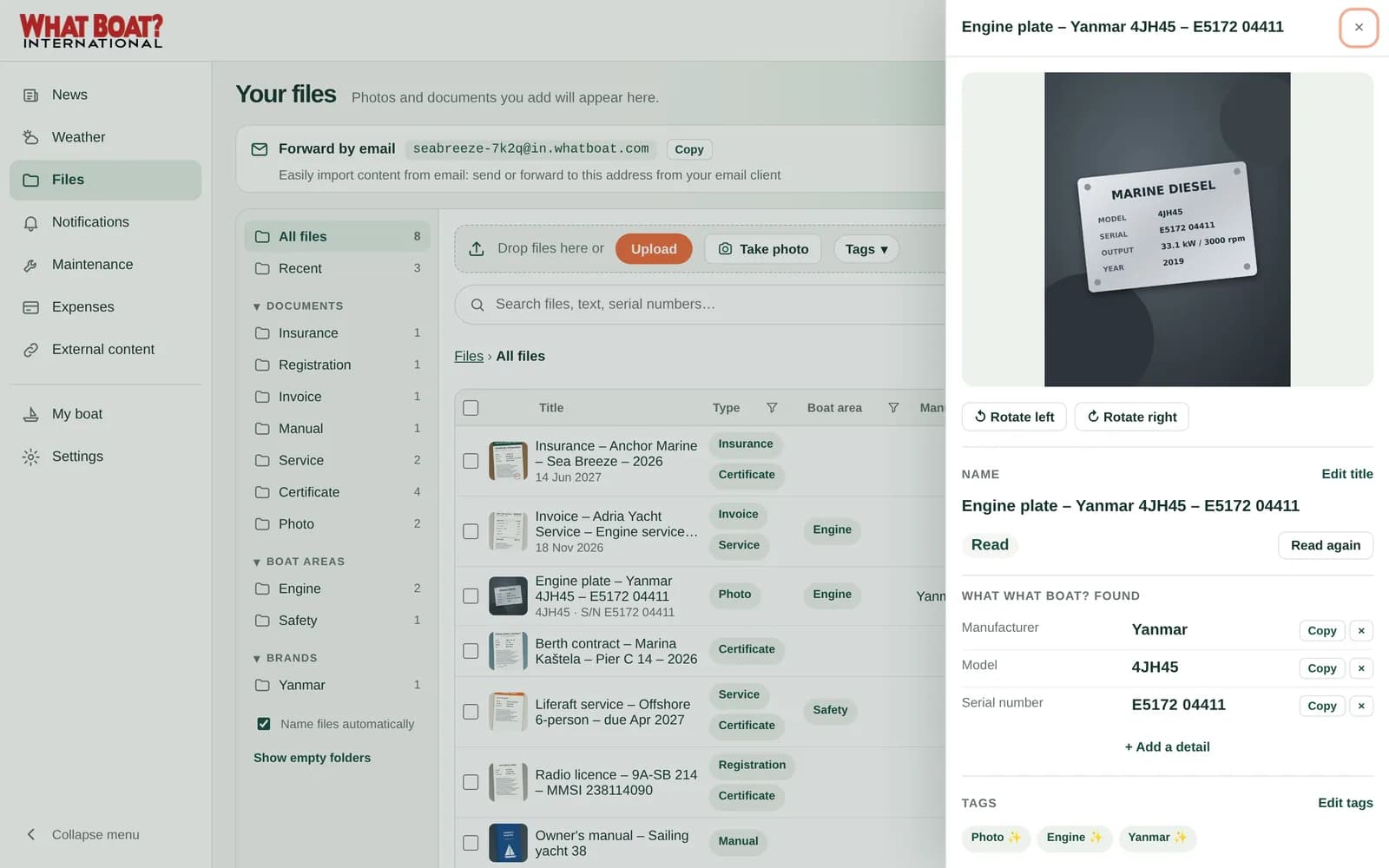
Files, filed for you
Every photo and PDF gets a clear name from what is in it, like “Invoice – Adria Yacht Service – Engine service”. Tags and folders appear by themselves.
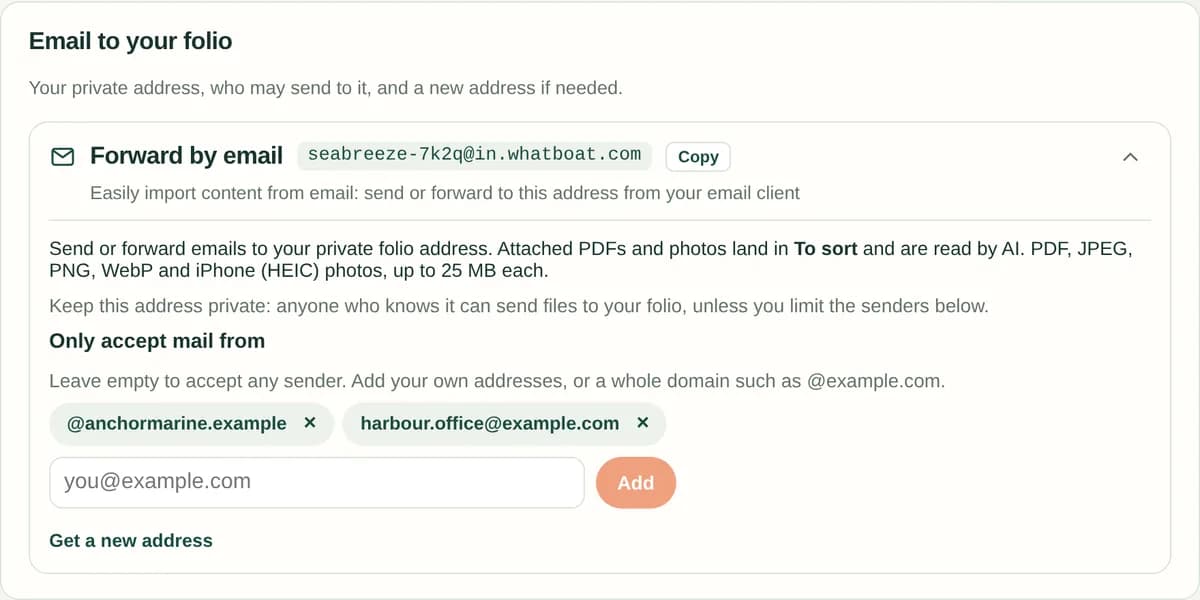
Email and iPhone
Your folio has its own private email address. Forward the insurance certificate or the marina invoice and it is filed in minutes. On iPhone, share photos straight from the Photos app.
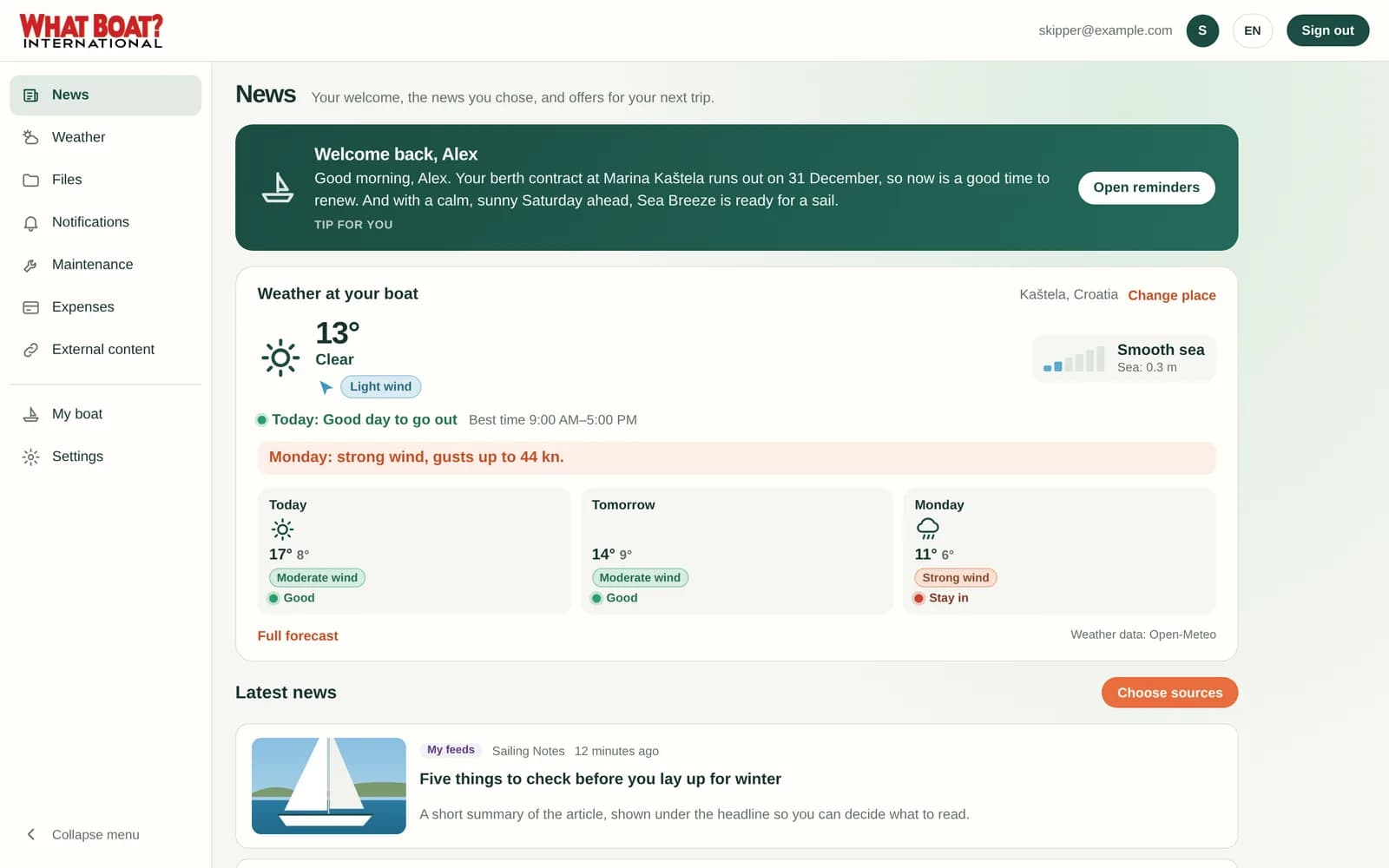
News
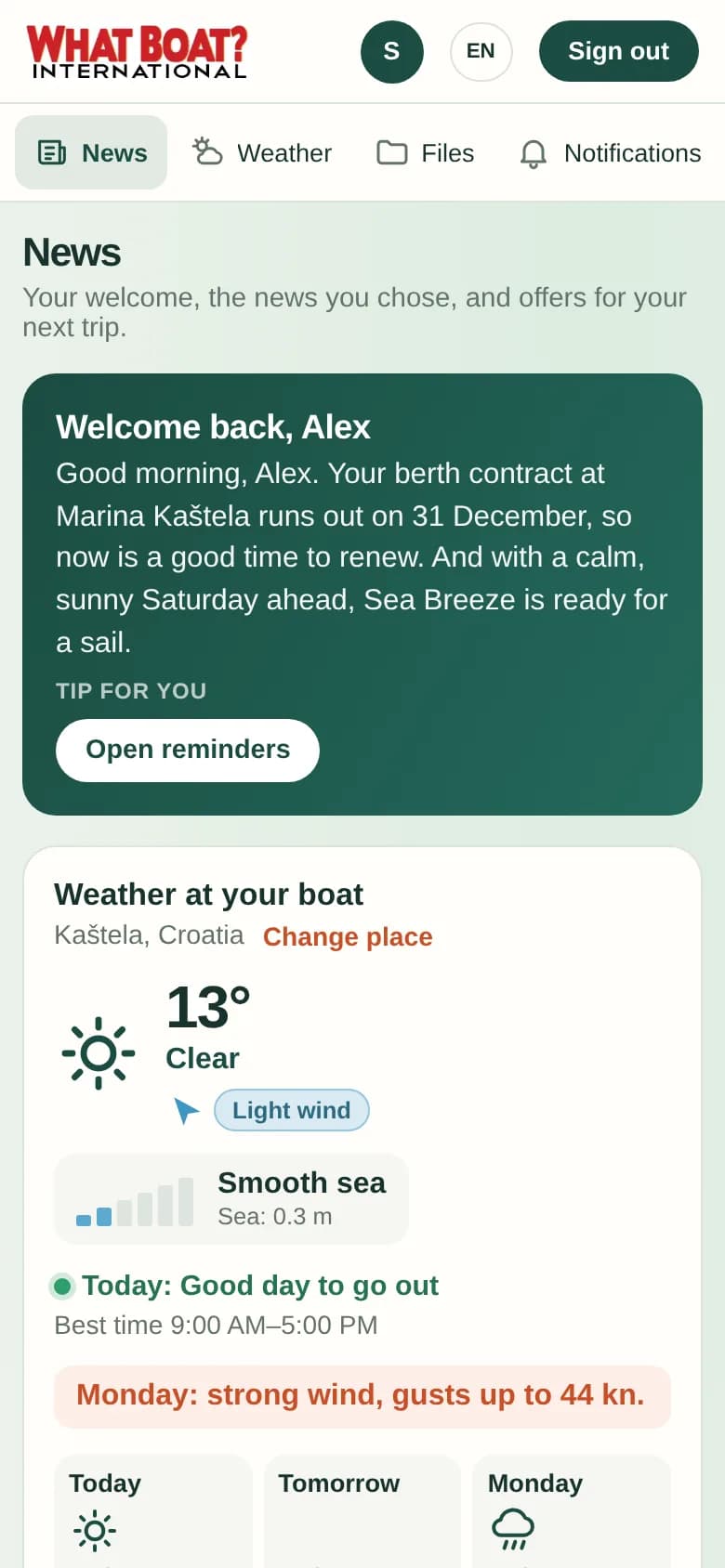
The AI looks at your folio and the weather and writes a short note just for you: a renewal coming up, a service that is due, or simply a good day for a sail.
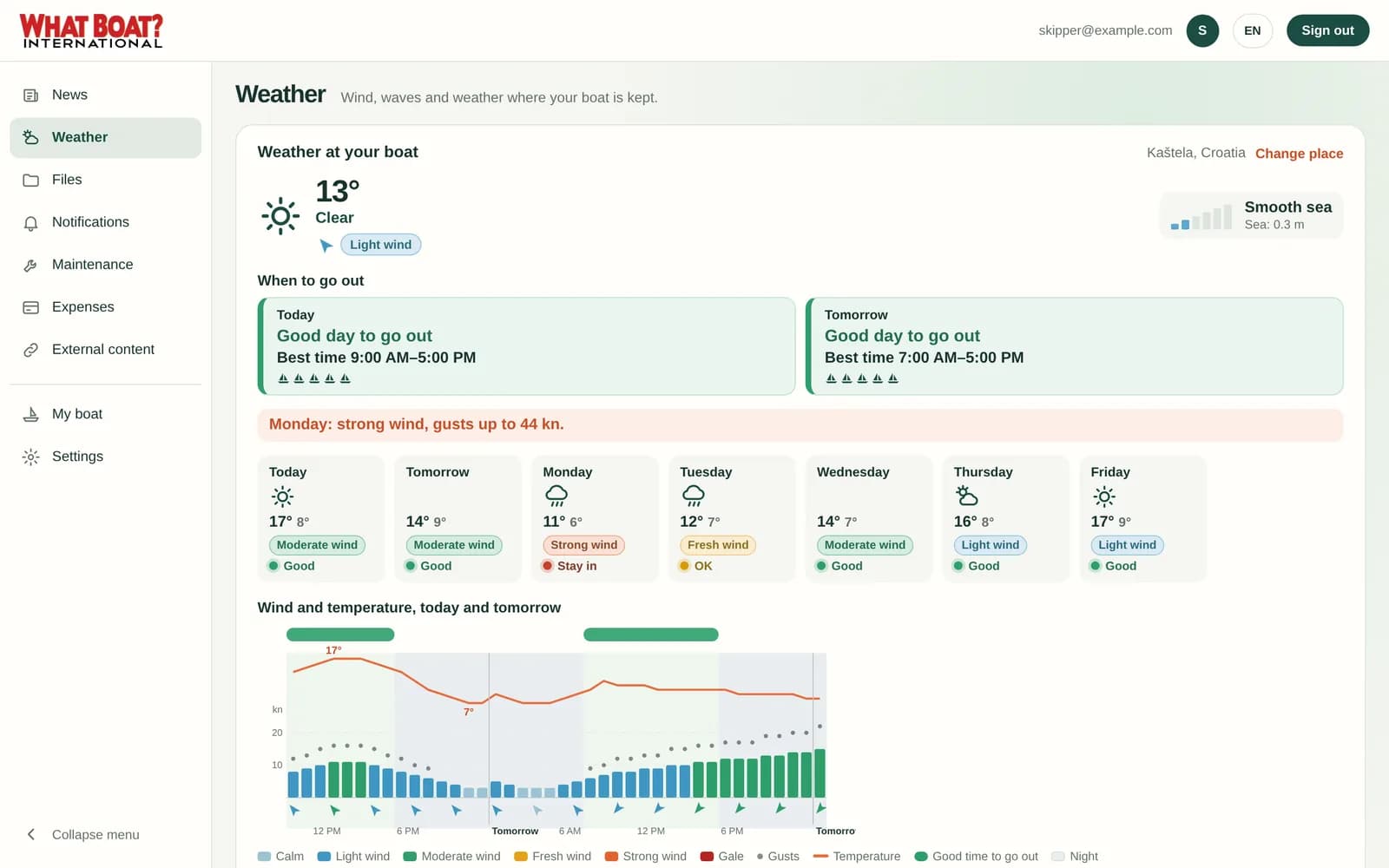
Weather
A plain answer instead of a wall of numbers: a good day to go out or a day to stay in, the best time window, and wind, gusts and waves as simple graphics.
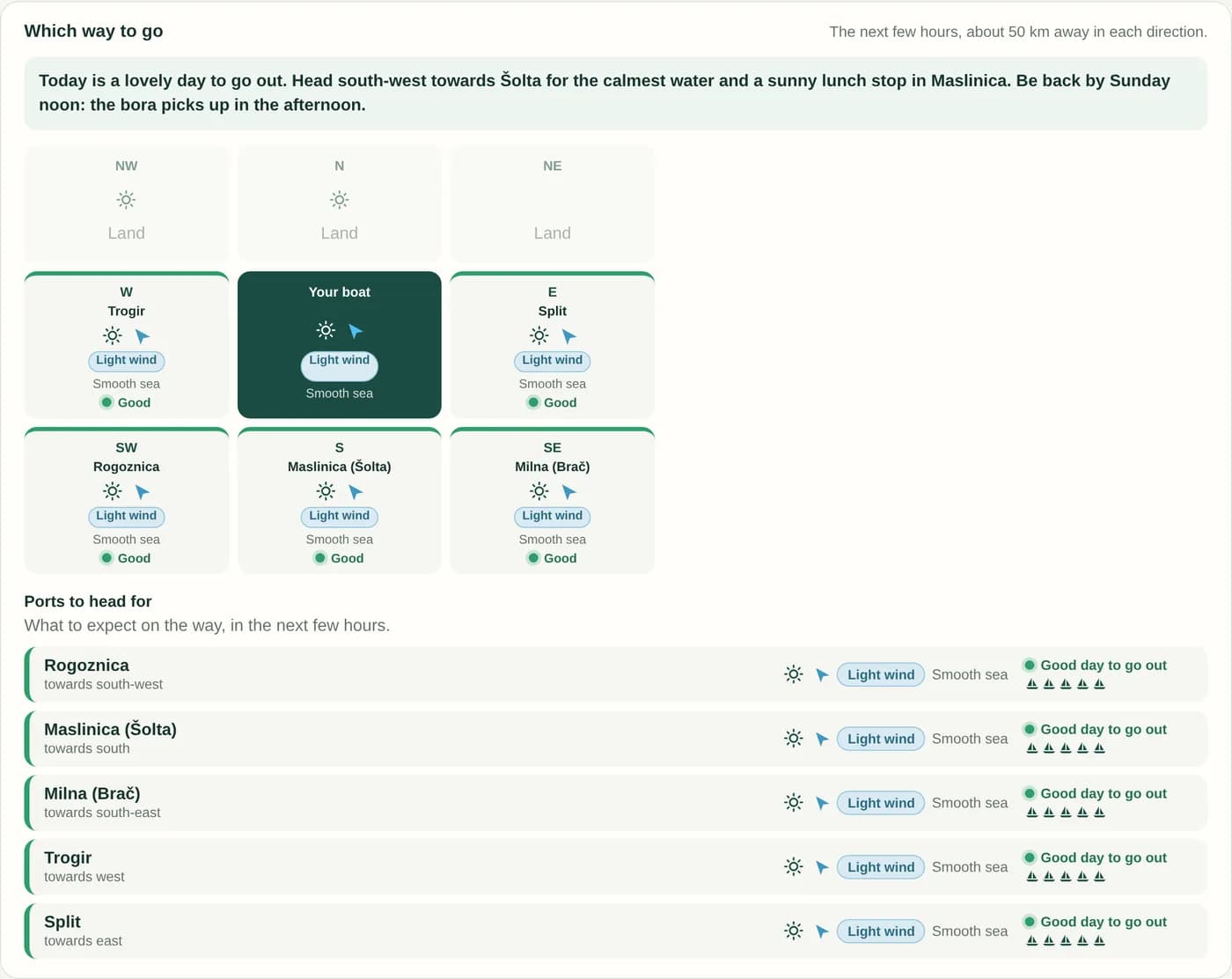
Which way to go
What Boat? checks the weather 50 km away in eight directions, names the ports you could head for and gives its opinion on the best way to go.
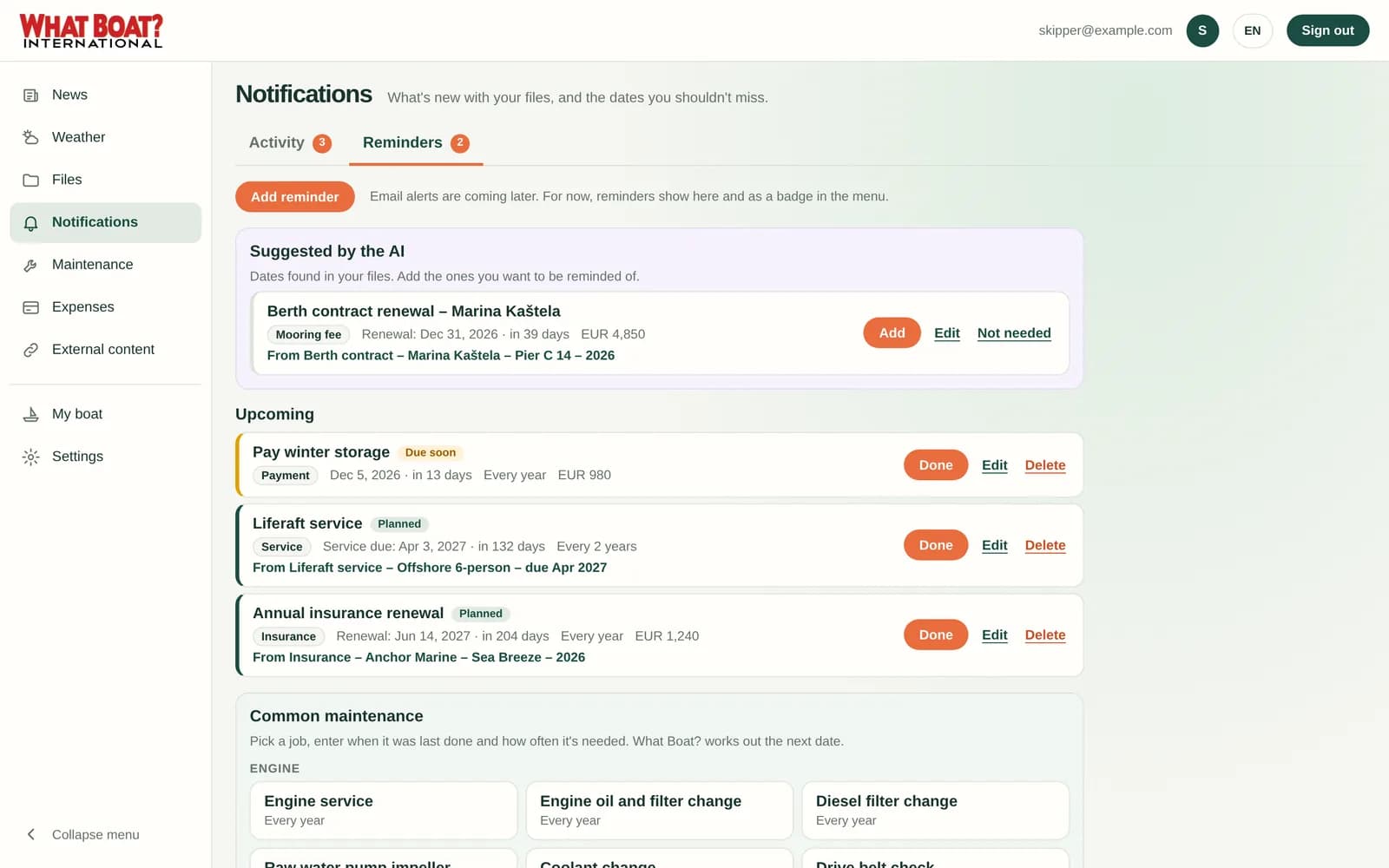
Notifications and reminders
When the AI finds an expiry or renewal date in a document, it suggests a reminder. Add it with one tap and see it coming up, with the document one click away.
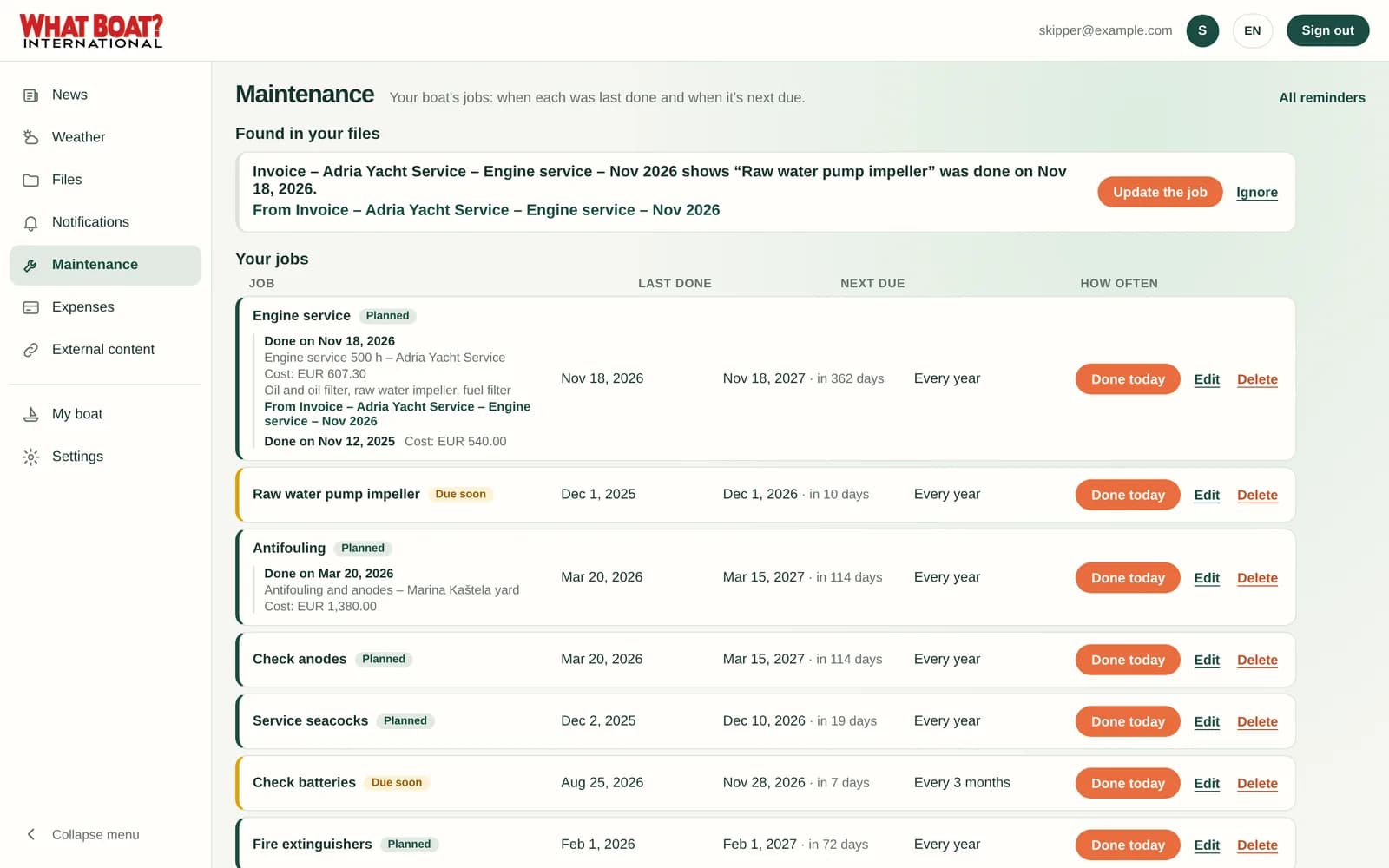
Maintenance
Upload a yard invoice and What Boat? records the work on the right job, like the engine service, with the date, the cost and what was done. Each job shows when it was last done and when it's next due.
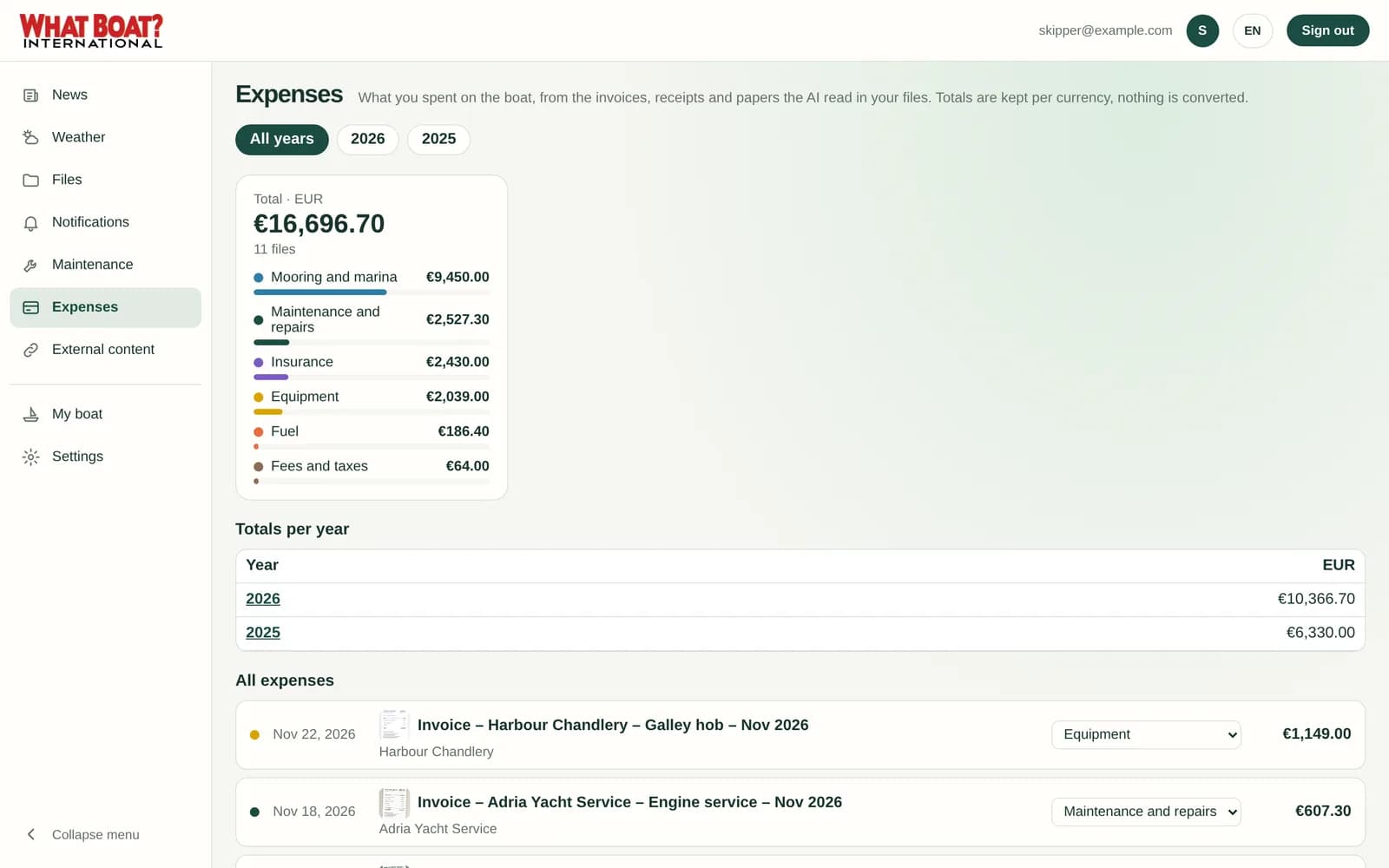
Expenses
Every invoice, receipt and policy the AI reads becomes an expense, sorted into mooring, maintenance, insurance, fuel, equipment and fees. Totals per year and per currency, with each line linked to its file.
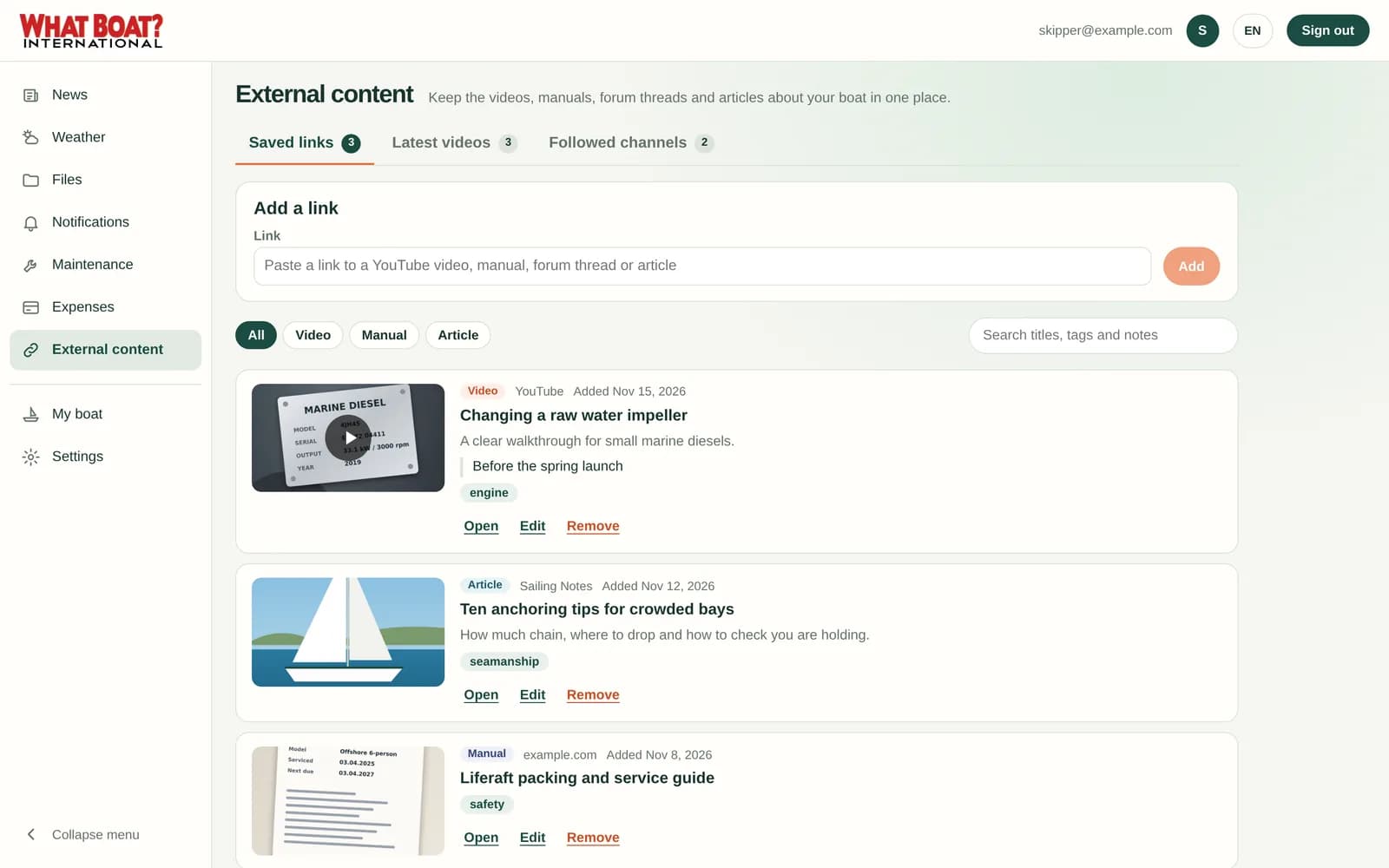
External content
Save the YouTube how-to, the manual on the maker's website or the forum thread that solved your problem. Follow channels and hear about new videos.
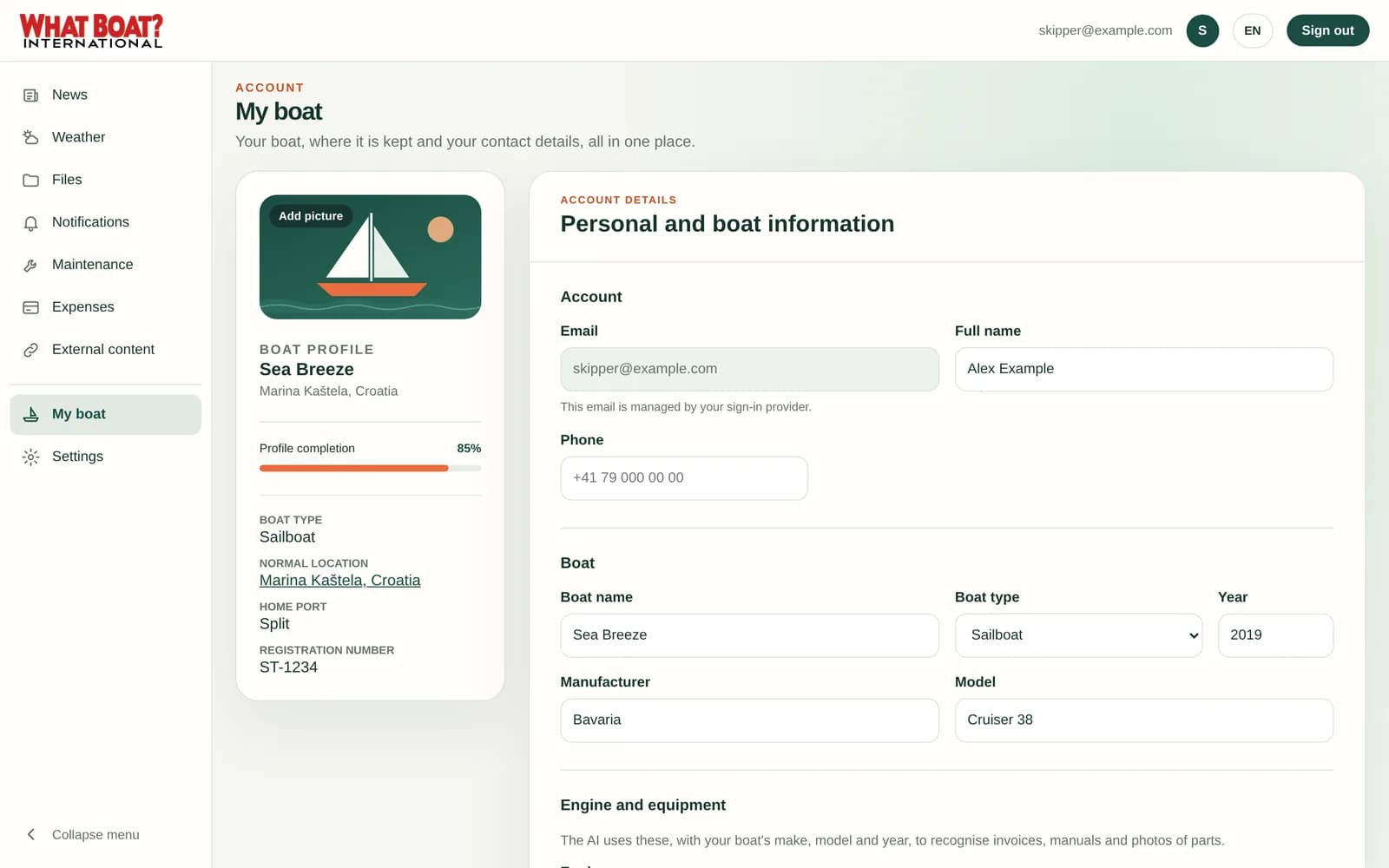
My boat
Tell What Boat? the make, model, year, engine and equipment once. The AI uses it to recognise parts, invoices and manuals, and the weather and local advice follow where your boat is kept.
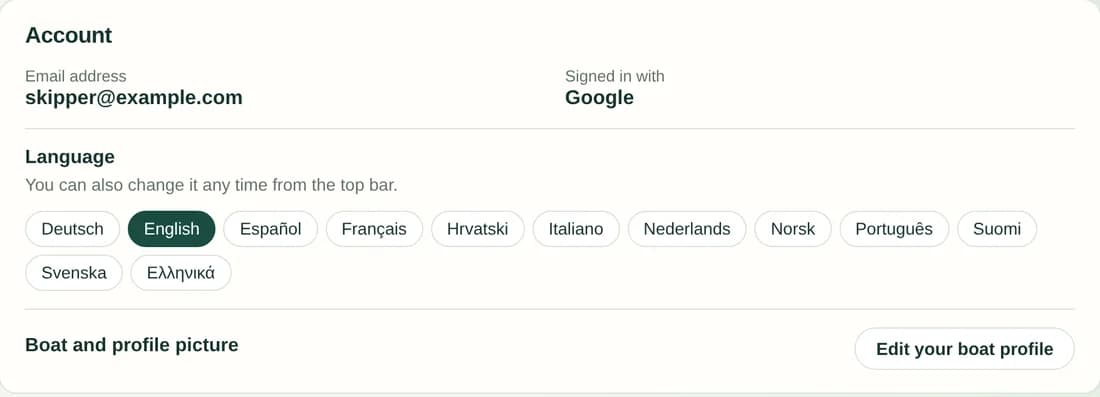
Deutsch, English, Español, Français, Hrvatski, Italiano, Nederlands, Norsk, Português, Suomi, Svenska and Ελληνικά. The AI answers in yours.
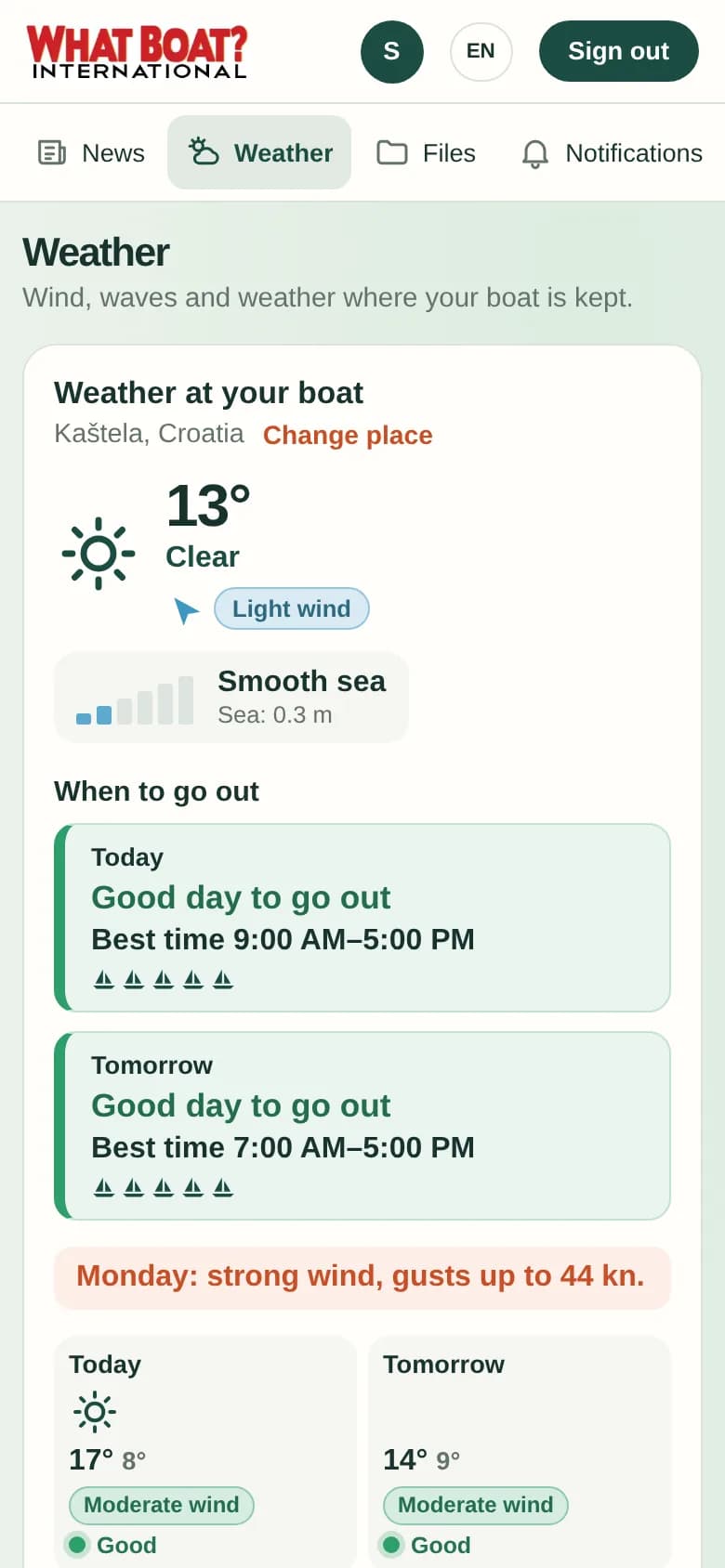
Add What Boat? to your home screen or use the iPhone app. Everything fits a phone screen, from files to the forecast.
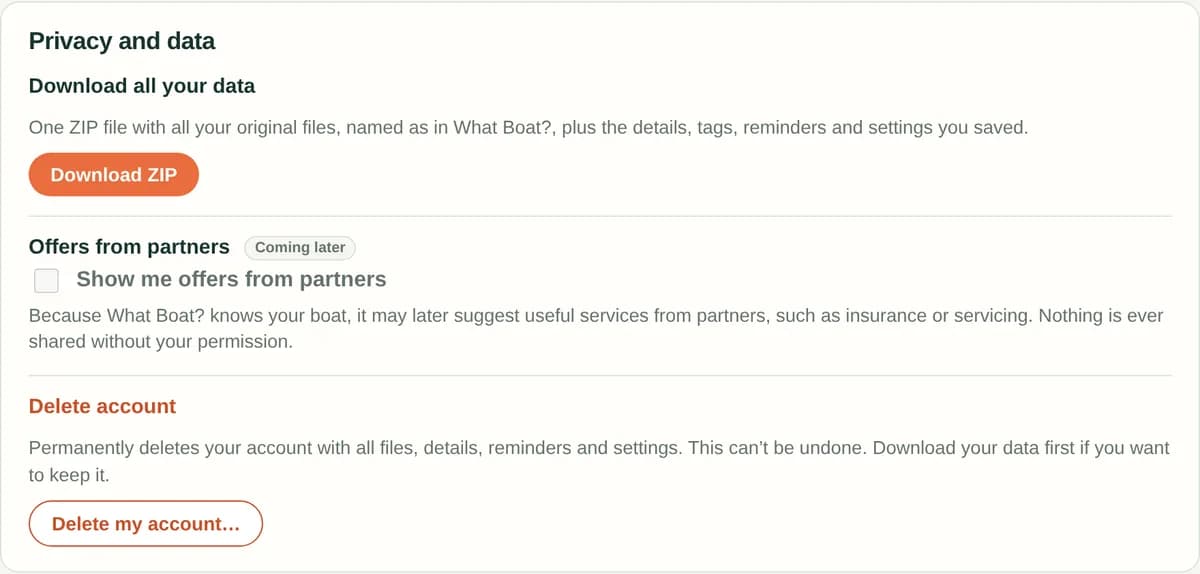
Download everything as one ZIP at any time, with your files named as in What Boat?. Nothing is shared with partners without your permission.
Screens show a demo boat and made-up documents.
More boat fun, less paperwork